
Which GPU should you actually use for embedding workloads?
Selecting the right serving engine for your embedding model can dramatically outperform hardware upgrades, yielding up to an 11x throughput increase on the same GPU.
All
 Skip to main content
Blog
A quick-start guide for accessing a custom Runpod container via basic terminal access, even if the container lacks SSH or exposed ports. This post walks.


The fastest way to get access to a custom pod is to use our basic terminal access feature. This works with any custom container that you want to run on Runpod, whether or not it has a built in SSH daemon or exposed ports. Do be aware that there are limitations to this method of access, including lack of SCP support, which may impede your ability to do stuff. This access type is mostly for if you just want to run some quick terminal commands. If this sounds like your use case, read on!
Note that this gives you a bash shell, but it is not true SSH. If you need true SSH, see this blog post.
I'm not going to bore you with a long intro in this one. Here are the goods.
1. Create a key pair in a terminal window as follows:
Save it wherever you want, but remember the path! If this is your first/only SSH key, feel free to use the default path by pressing Enter without entering a custom path.
2. Get your public key (you can use the following command if you used the defaults)
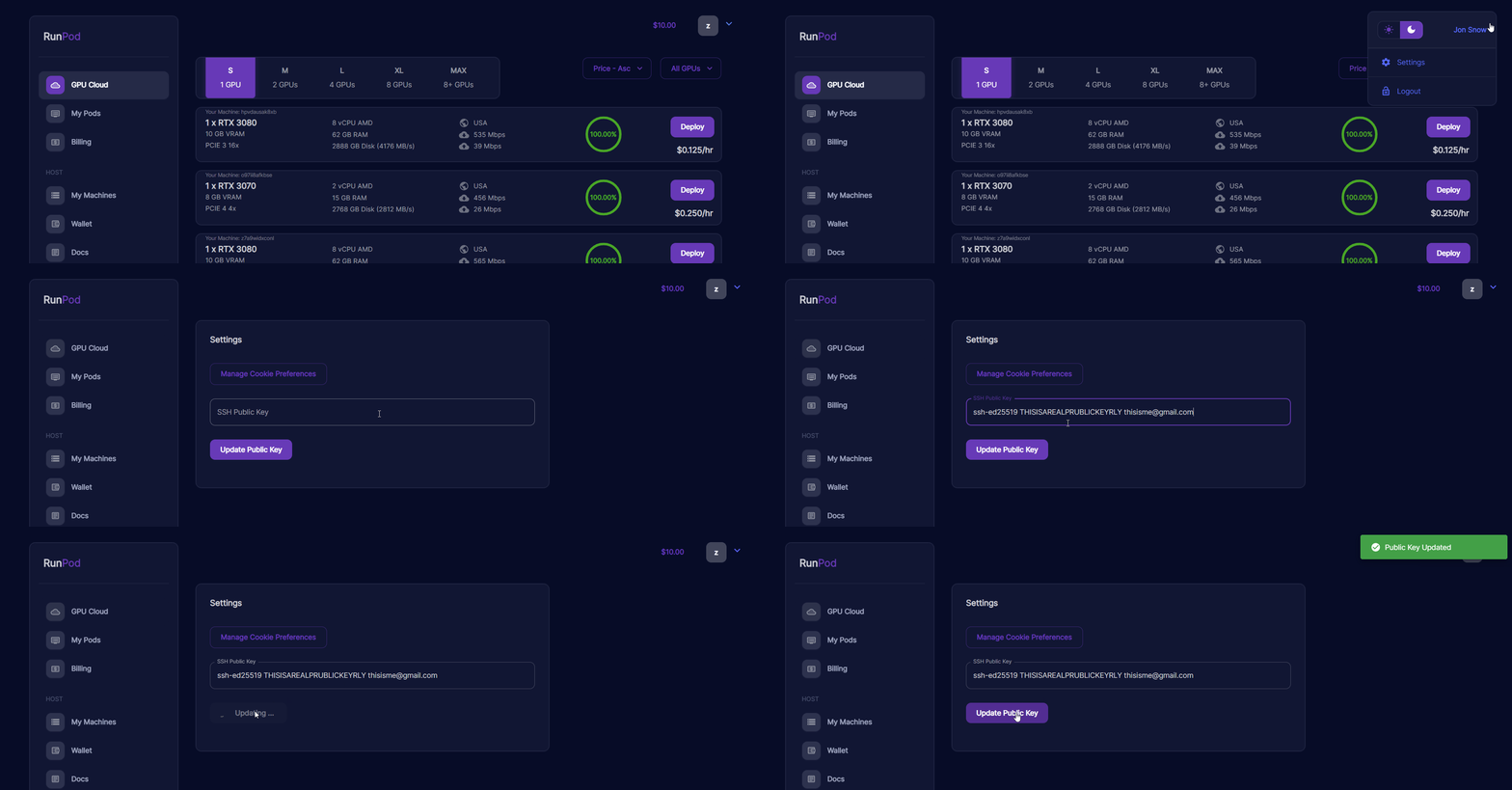
3. Copy your SSH key to the server. For Runpod, you can find the menu in your settings in the top right corner.
4. Find your server address. You can find it in the "Connect" menu under your "My Pods" dashboard.
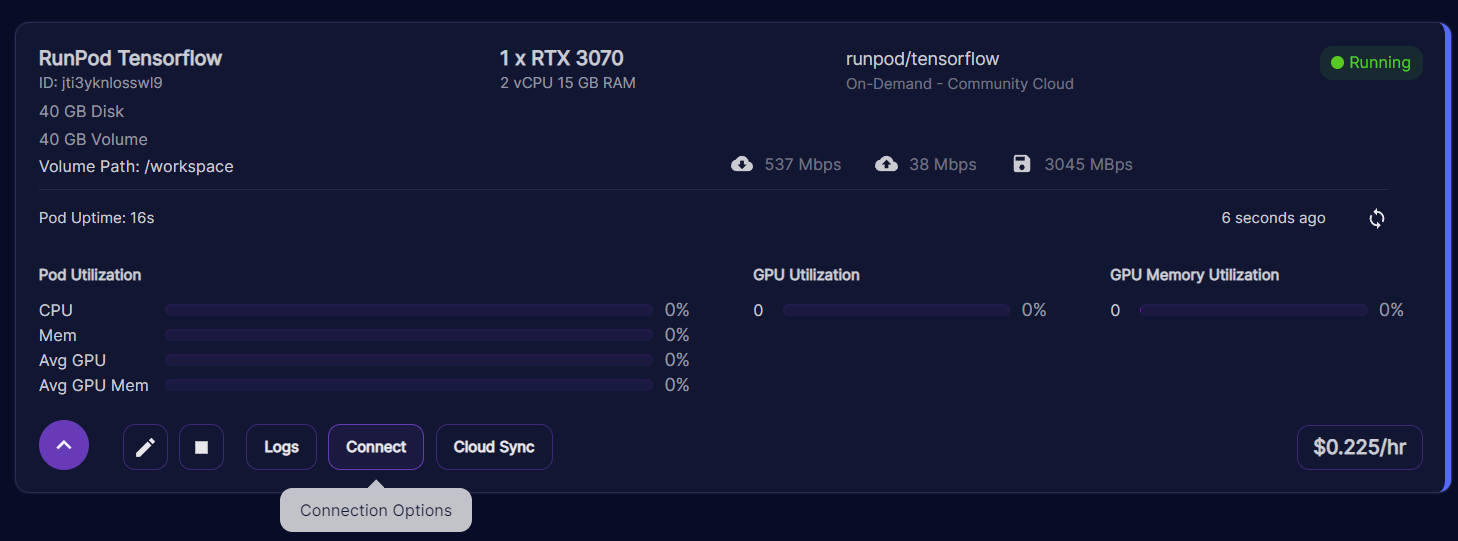
5. Copy the second SSH command (SSH command with private key file) and make sure the path points to the private key you generated in step 1.
6. Open a terminal window and run the command that you copied.
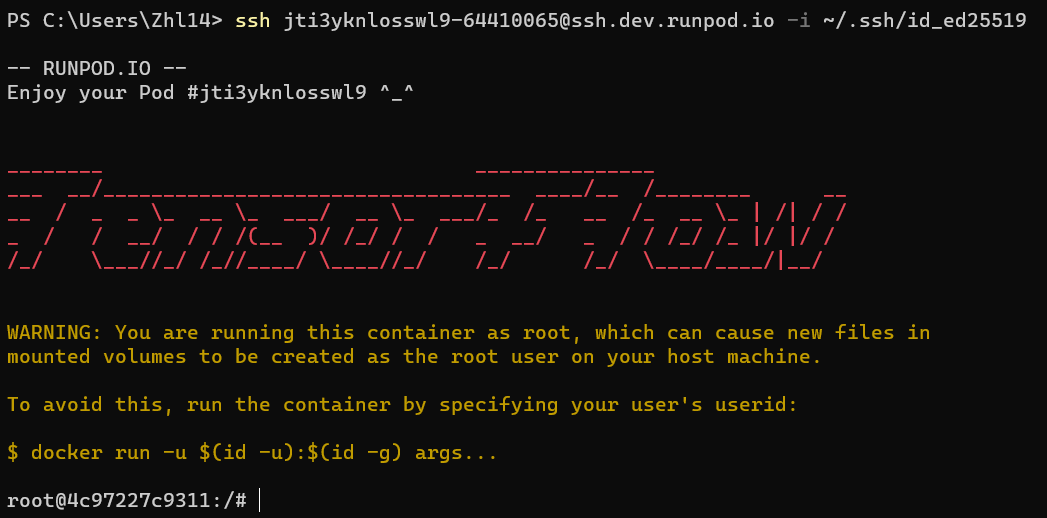
Happy Hacking!
Author profile: Zhen Lu
Blog Posts